 K5D
K5DManage Your PDF Files Easily with pdfcpu
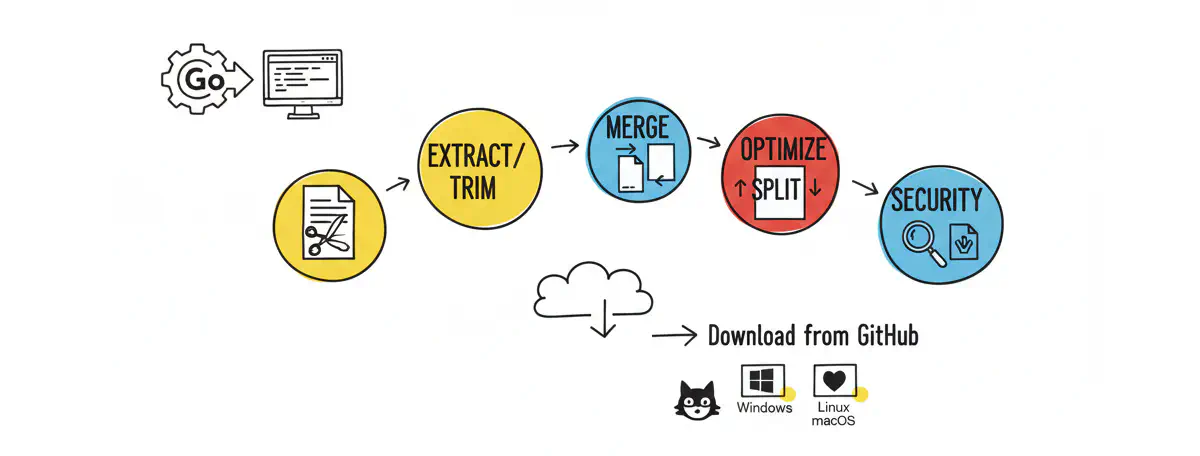
If you are looking for a powerful tool to handle PDF files, pdfcpu is one of the best choices. It is a fast, open-source PDF processor written in Go. You can use it as a command-line tool or as a library in your Go projects.
1 Key Features
- Extract/Trim: Select and save specific pages.
- Merge: Join multiple PDF files into one.
- Split: Divide a large PDF into smaller files.
- Optimize: Reduce PDF file size.
- Security: Add or remove passwords and watermarks.
- and mores…
2 How to Download from GitHub
You can download the pre-built binaries for your operating system (Windows, Linux, or macOS) from the official GitHub page:
- Go to github.com/pdfcpu/pdfcpu/releases.
- Find the latest version (e.g.,
v0.11.1). - Download the
.tar.xzor.zipfile for your system (e.g.,Linux_x86_64). - Extract the file and move the
pdfcpubinary to your/usr/local/binfolder.
3 Common Use-Cases
Here are some simple commands to get you started:
3.1 1. Extract pages (Save each page as a new file)
If you want to pull out pages 1 to 3 and save them as separate files:
|
|
3.2 2. Trim pages (Create a new file with only specific pages)
If you want to create a new file named output.pdf containing only pages 1, 2, and 3:
|
|
3.3 3. Merge files
To combine part1.pdf and part2.pdf into a single file:
|
|
3.4 4. Optimize a file
To make your PDF file smaller for emailing:
|
|
3.5 4. Optimize a file
To see useage:
|
|
4 Conclusion
pdfcpu is small but very powerful. It is perfect for developers and users who love simple command-line tools. Give it a try and save your time today!